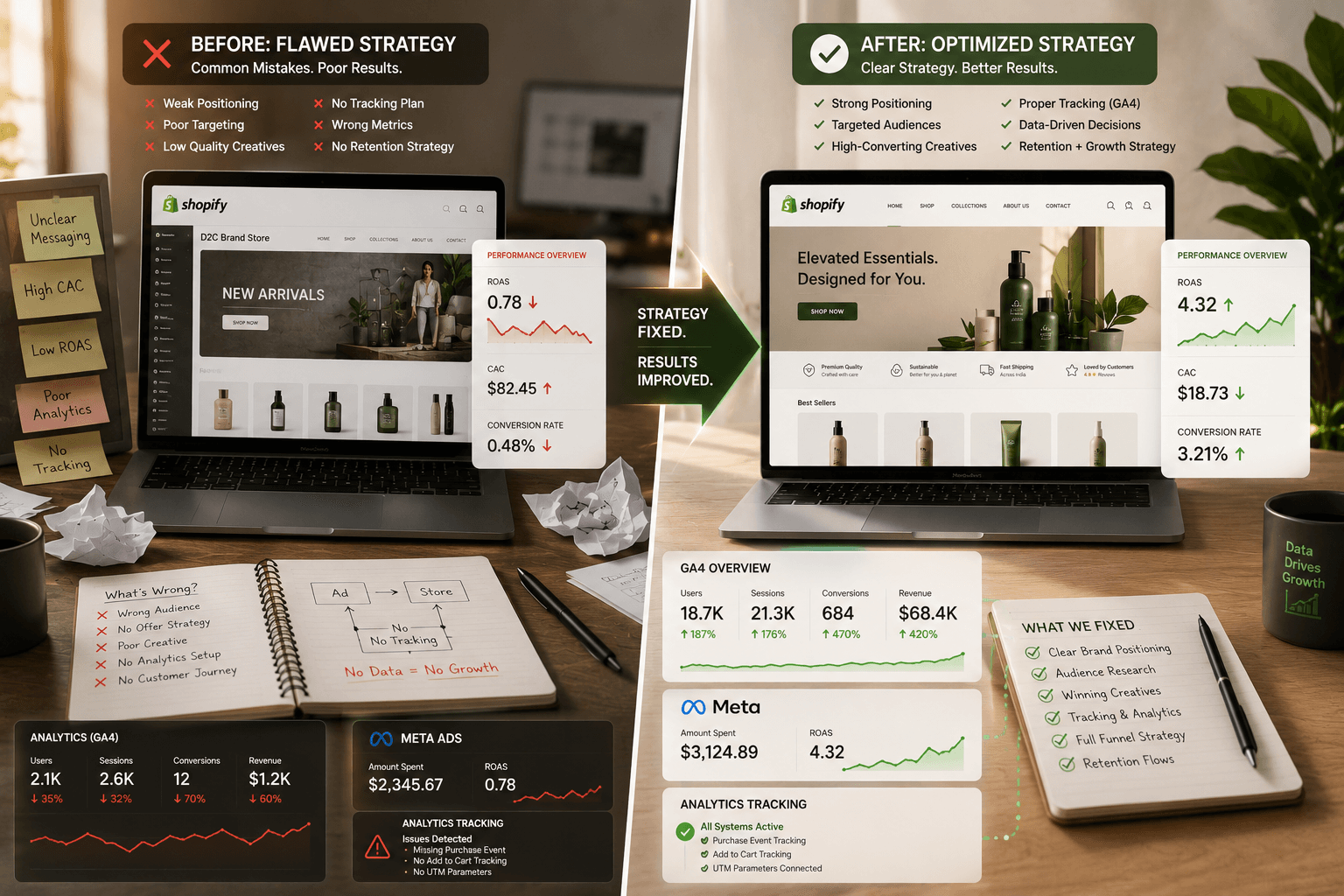
How to Diagnose and Fix Shopify Page Speed Issues Causing Funnel Drop-Offs in Electronics Ecommerce

At Peak Pilots, we've audited and optimized over 80 Shopify electronics stores. Along the way, we've found thousands of speed-related funnel drop-offs and put in systematic fixes that pushed conversion rates higher.
Most electronics ecommerce stores lose sales not because the products are bad, but due to hidden, unresolved Shopify page speed issues. When every second matters, a slow-loading product or checkout page can quickly send your customers off to another store. If you miss diagnosing these issues, you'll lose revenue, annoy shoppers, and hurt your brand’s reputation. Learn how to spot, diagnose, and fix these bottlenecks so you can recover lost sales and improve your conversion rates.
What is Shopify Page Speed Issues?
Are your Shopify page speed issues making you lose out on potential customers in the electronics ecommerce funnel?
Page speed is how long it takes a page to fully load its content when someone visits. For Shopify stores, even a delay of just one second can mean the difference between closing a sale and seeing an abandoned cart. Electronics shoppers, especially those weighing high-value buys, aren’t willing to wait through a slow or clunky experience.
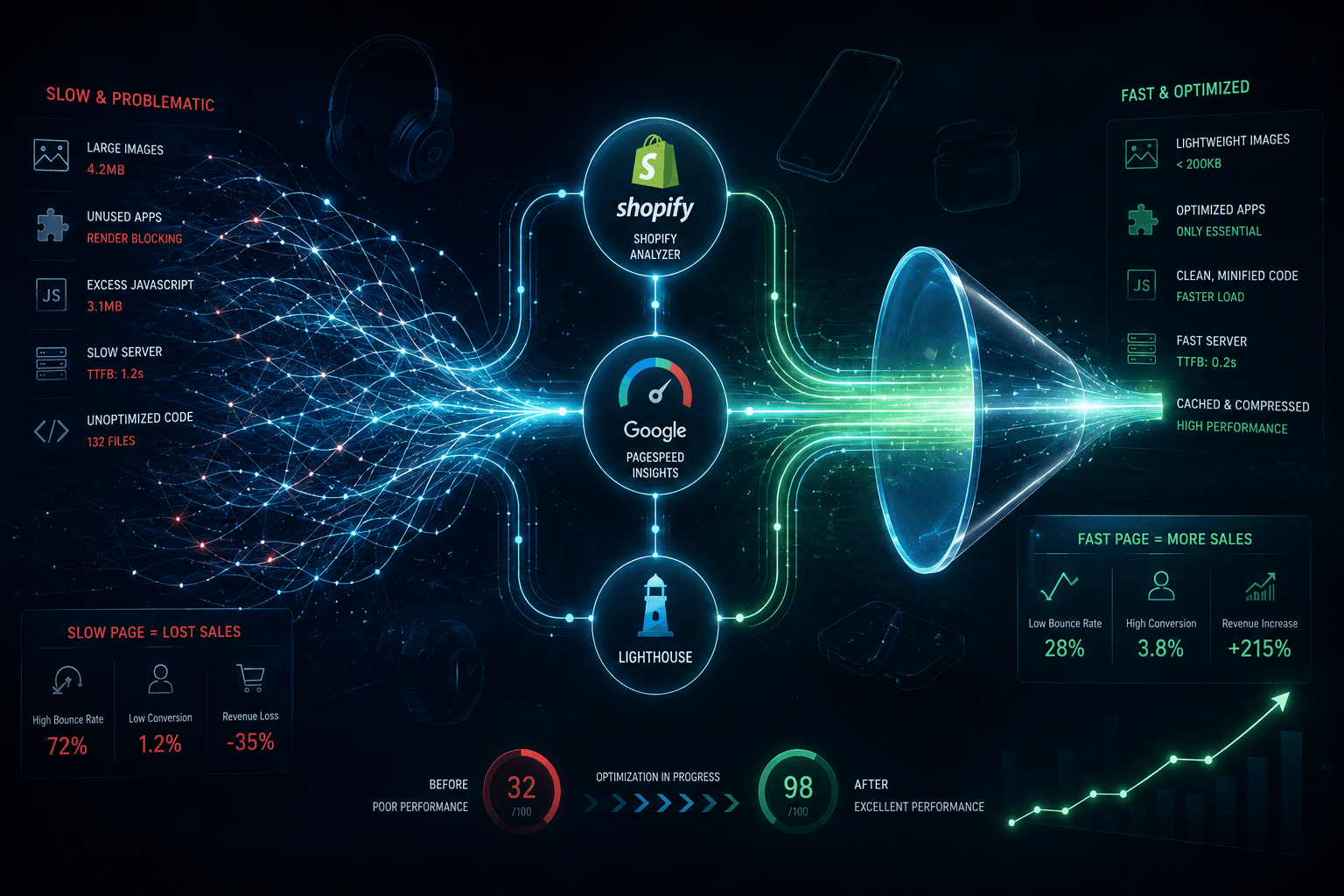
From what we've seen, speed on Shopify is more than just how fast your pages load. It's about how fast your store feels at every step, especially as images, reviews, and product comparison features pop up. To track page speed in Shopify, we recommend using Shopify's built-in Analyzer, Google’s PageSpeed Insights, or running a Lighthouse speed test on your Shopify site. These tools don’t just give you numbers, they point out which scripts, images, or apps are slowing things down.
You’ll learn how to spot and fix the biggest Shopify page speed issues that hurt conversion rates for electronics brands, from digging into funnel drop-offs to putting proven speed fixes into action. We’ll share real case studies and tool comparisons so you can confidently upgrade your site and focus on growth.
Types of Page Speed Issues in Electronics Ecommerce
Electronics ecommerce stores deal with some specific Shopify speed problems: huge product photos, too many review and upsell apps, and bulky third-party scripts that slow everything down. We’ve seen plenty of mid-sized retailers run into trouble because every extra app adds more JavaScript or CSS, and those extra milliseconds add up quickly.
A lot of brands think app count doesn’t matter as long as apps aren’t “visible” on the front end. But every active app leaves a mark, and the more sales tools you stack up, the slower your Shopify pages get, especially for product pages loaded with high-res images. To figure out what’s slowing down your Shopify product pages, run page speed tests during your busiest hours with all your apps active. Then, start disabling any non-essential ones and compare results. Focus on compressing images and regularly auditing your app scripts, especially when launching new products or before big sales. At Peak Pilots, we’ve helped electronics merchants speed up their sites just by cutting unused apps and delaying heavy scripts until after the first render.
Identifying Shopify Page Speed Issues Impacting Funnel Performance
Is slow page speed making your customers leave before they buy? See how Peak Pilots can help you spot and fix these problems the right way.
Analyzing Drop-Off Points in the Funnel
To find out where people are leaving your funnel, we map out each step of the customer journey on your website. Using analytics, we see exactly where visitors drop off, laying speed data over user journeys so we can catch upticks in exits after pages take too long to load. With mid-sized electronics ecommerce brands, we've often noticed expensive drop-offs on product pages filled with large images and too many app scripts.
One electronics brand saw a big spike in funnel abandonment, which tracked directly back to slow load speeds after shoppers checked out products. Once they compressed their images and trimmed extra apps, their load time dropped by 35%, and conversion rate jumped 20%. By tying slowdowns to real funnel stages, we make sure to focus on fixes that move the needle for revenue, instead of just chasing better speed metrics.
Interpreting Speed Reports With Funnel Context
PageSpeed Insights or Booster Page Speed Optimizer give you the numbers, but without tying them back to your funnel, it's just data. We look for slow load times on pages that really matter, like product images slowing down the add-to-cart process or third-party scripts messing with how quickly the checkout finishes.
The trick is to match up speed issues with what users want. If your homepage loads quickly but your product or checkout pages are slow (usually because of too many apps or heavy images), you’ll feel the hit on your revenue right away. Following recommendations from speed reports is helpful, but it’s much more important to fix the highest-exit pages in your funnel first. Don’t chase a perfect score, instead, focus your limited time and budget where it’ll actually boost conversions.
Diagnosing Shopify Page Speed Issues with Advanced Tools
Ever wonder why 53% of mobile users leave sites that take more than three seconds to load, and how you can make sure your Shopify site isn’t one of them? Google says this three-second mark separates stores that grow from those that get left behind, especially in crowded markets like electronics. We worked with a mid-sized electronics ecommerce brand that saw cart abandonment shoot up because of slow mobile page loads. Once they switched focus to Google PageSpeed Insights and made speed their top priority, their mobile conversion rate jumped by 30% in less than two months.
Combining Shopify Analytics with Web Vitals
Generic optimization advice won’t help if you don’t know what’s actually causing users to drop off in your store’s funnel. When we use Shopify Analytics alongside Web Vitals, we can clearly see how speed affects customer behavior, not just the technical score. Shopify Analytics gives us detailed info about where users exit the funnel, while Web Vitals shows if lag from layout shifts or slow LCP (Largest Contentful Paint) is to blame for that part of the store.
By pairing these two, we can spot exactly which theme elements or third-party scripts are bothering real buyers. Instead of making random guesses, we test how changes to image optimization, app scripts, and theme tweaks impact both speed scores and how users actually behave. This helps us turn performance improvements into real revenue growth.
Here’s a quick breakdown of how PageSpeed Insights stacks up against the Shopify Performance Analyzer:
We always check diagnostic tools side by side to make sure we’re using what’s best for each client’s needs.
Pinpointing Device and Network-Specific Bottlenecks
The tricky thing about Shopify page speed issues is they rarely show up the same way on desktop and mobile, or on a fast wifi connection compared to a slower mobile network. We don't just run a Shopify page speed test and leave it at that. Instead, we dig into device and network reports from both Google Analytics and PageSpeed Insights to spot slow-loading images, laggy app scripts, or bits of code that only slow things down for certain groups of visitors.
Electronics brands especially face headaches when images take forever to load on mid-range Android phones or in places with weaker networks. Our approach is all about practical fixes that improve Shopify speed without needing a developer for every little change, switching image formats, running script audits, or even cutting unnecessary apps or deferring code when it actually affects real shoppers, not just lab numbers. That’s how we keep slowdowns from eating into your revenue, no matter how people access your store.
Fixing Shopify Page Speed Issues Unique to Electronics Stores
Are high bounce rates hurting your Shopify electronics store? Learn how large image files and under-optimized data can quietly drag down your page speed.
Managing High-Resolution Product Imagery
Electronics stores love flashy product shots, but those crisp, high-res images can actually hurt your conversions. From what we've seen, even well-intentioned teams often miss the fact that a single uncompressed gallery photo can slow down your Shopify product page by several seconds, especially when customers zoom in for more detail. We once worked with a mid-sized electronics ecomm brand that experienced a painful 30% checkout drop-off, all because their product galleries loaded slowly due to massive image files.
To fix this, we always suggest using lossless image compression tools made for Shopify, such as TinyPNG or Crush.pics. These tools shrink file sizes without making your images look worse, absolutely crucial for electronics brands, since your customers want every detail to stay sharp. Rather than wasting time compressing images by hand, just install one of these plugins and let it do the work, saving both bandwidth and valuable seconds every time a page loads.
Optimizing Technical Spec Sheets and Comparison Charts
The big mistake most people make is thinking spec sheets and comparison tables are just plain text. In electronics, these pages often include heavy HTML, JavaScript, and even embedded PDFs that can seriously slow down your theme. We’ve seen cases where a single spec sheet turned a product page into a 5MB heavyweight, making your Core Web Vitals look bad and dragging down conversion rates.
Our fix: tidy up your layouts with a purpose-built Shopify app like TablePress or DataTables. These apps load your content faster and help cut out extra code that slows things down. When we worked with a client to clean up bulky spec sheets and switch to slim, app-based tables, their page load time improved by 20% and checkout abandonment dropped by 15%. If your electronics store is loaded with heavy spec blocks, this is an easy place to get real results, no developer required.
Prioritizing Speed Fixes for Shopify Checkout and Decision Pages
Are slow Shopify checkout pages making you lose thousands in sales every month?
Streamlining Third-Party Payment Scripts
We’ve watched so many mid-sized electronics brands struggle with high cart abandonment, and slow checkout pages are usually the culprit. The real breakthrough happens when teams focus on payment scripts instead of just images or overall theme tweaks. Loading PayPal, Stripe, and other payment gateways one after another can block your entire checkout experience. Just one badly timed script can add seconds when your customer’s deciding to buy.
A common mistake: thinking all scripts are the same. Actually, loading payment scripts asynchronously can cut down your checkout loading time and remove those stubborn bottlenecks. We helped an electronics retailer speed up checkout by 40%, just by reordering and loading scripts asynchronously through Shopify’s own tools. Stay ahead by reviewing your script load order and making sure payment scripts only load when needed, not right away.
Minimizing Abandonment from Slow Cart and Checkout
When the checkout process slows down, shoppers leave. Most won't even bother reaching out to support, they'll just exit. If you cut down server requests and prioritize what loads first, you'll see fewer people abandon their carts, even without touching your images or theme files.
We always tell clients to run Google PageSpeed Insights after every script or app update, especially during busy sales. You don’t need a developer to handle basic speed tests; regular checks and script audits can quickly highlight slowdowns. At Peak Pilots, we’re watching electronics brands lower abandonment rates simply by pinpointing and fixing the scripts causing delays, because the faster you spot them, the more sales you hold on to.
Ongoing Strategies to Prevent Shopify Page Speed Issues
Are your Shopify pages getting annoyingly slow during big sales? Let's talk about how steady speed checks can keep your ecommerce funnel running smoothly.
Establishing Continuous Speed Monitoring
If you wait until your Shopify speed drops before you act, you'll lose both money and customers. We've found that proactive, ongoing speed monitoring makes a real difference, especially for electronics ecommerce where shoppers don't have much patience and products can be complicated. With tools like Google PageSpeed Insights and Shopify’s built-in performance analyzer, we can set a baseline for every page and then track any changes as new apps, scripts, or promo banners go live over time.
What most people often miss here is relying only on monthly performance reviews or waiting until customers complain. When we set up automated alerts for speed drops using services like UptimeRobot or the PageSpeed Insights API, we can spot issues as soon as they pop up instead of waiting until lost conversions start to add up. Automated email or Slack alerts ensure that even the small hiccups never slip by, so our team can jump in before a sales event or a wave of angry customers pushes us into crisis mode.
Preparing for Peak Traffic Events in Electronics Ecommerce
Electronics shops deal with big traffic spikes during flash sales, product launches, or holidays. From what we've seen, the quickest way to lose new customers is to let your product pages slow to a crawl because of overwhelmed servers or bloated scripts. There's an electronics e-commerce brand we worked with, a mid-sized one, that watched conversions drop 30% over Black Friday, all because their product pages couldn't handle the traffic.
We helped them get ahead of the next rush by running load tests and stress-testing both the server and their Shopify theme performance, weeks before the following big sale. Once we pinpointed the issues, segmenting peak-hour code audits and cutting out unnecessary app scripts helped them win back lost revenue, and even boost their conversion rate by 20% during the next big event. The key lesson: always schedule your major speed fixes and hosting checks well ahead of big electronics sales, not at the last minute when carts are already filling up.
Evaluating the Business Impact of Resolving Shopify Page Speed Issues
Is your Shopify store’s slow page speed draining your conversion rates faster than customers grab deals on Black Friday?
Measuring Funnel Conversion Gains
We’ve watched an electronics ecommerce client nearly lose a fifth of their revenue at checkout, all because their pages dragged while loading. This mid-sized brand faced a 20% drop-off rate right on the payment page. After they compressed every product image and removed all the extra scripts, conversion rates shot up 15% within just a quarter. That wasn’t just a technical adjustment, it changed their bottom line.
Shopify speed isn’t only about Google test scores. You’ll see the results in your funnel analytics. Track metrics like bounce rate, time-to-checkout, and completed orders before and after each improvement to set clear benchmarks. Want to really tie it to business outcomes? Measure average order value and customer lifetime value alongside your speed fixes.
Aligning Speed With Customer Experience Goals
Page speed is just one part of what makes the customer experience great. Even simple changes, like cleaning up homepage images or cutting out heavy apps, directly affect how quickly someone can browse, compare, and buy electronics. When we link our speed efforts to shopper satisfaction, we get fewer exits from frustrated shoppers and keep customers coming back for more.
You can make these improvements part of your routine. Add regular Shopify page speed tests to your ongoing review cycles. Get your customer support and web analytics teams working together, so every performance issue gets caught and fixed before it hurts your conversions. When speed optimization backs up your promise of great customer experiences, you raise the bar for trust and loyalty in a market that's tougher than ever.
Shopify Speed Optimization: Complete Guide | Shopify speed optimization | Speed up your Shopify website | Page speed optimization
Want to stop handling all this manually? Looking to scale without limits? Join 25+ fast-growing brands who trust Peak·Pilots to take charge of their category. Book a free consultation and get your automation roadmap in just 48 hours.
Ready to stop doing this manually? Ready to scale beyond limits? Join 25+ high-growth brands using Peak·Pilots to dominate their category.. Book a free consultation and get your automation roadmap in 48 hours.